Bring the channels together.
Connect supported WhatsApp, Facebook Messenger and Instagram business accounts, designated email and website enquiries. Each incoming conversation belongs to your business workspace.
SPGFlow Connect™ · Unified customer communications
Your customers use different platforms. Your team should not have to keep jumping between them. SPGFlow Connect brings supported messages, email and web enquiries into one organised workspace, with replies sent back through the original channel.
Sign & Print is our first specialist beta. Businesses in other industries can register interest in standalone SPGFlow Connect.
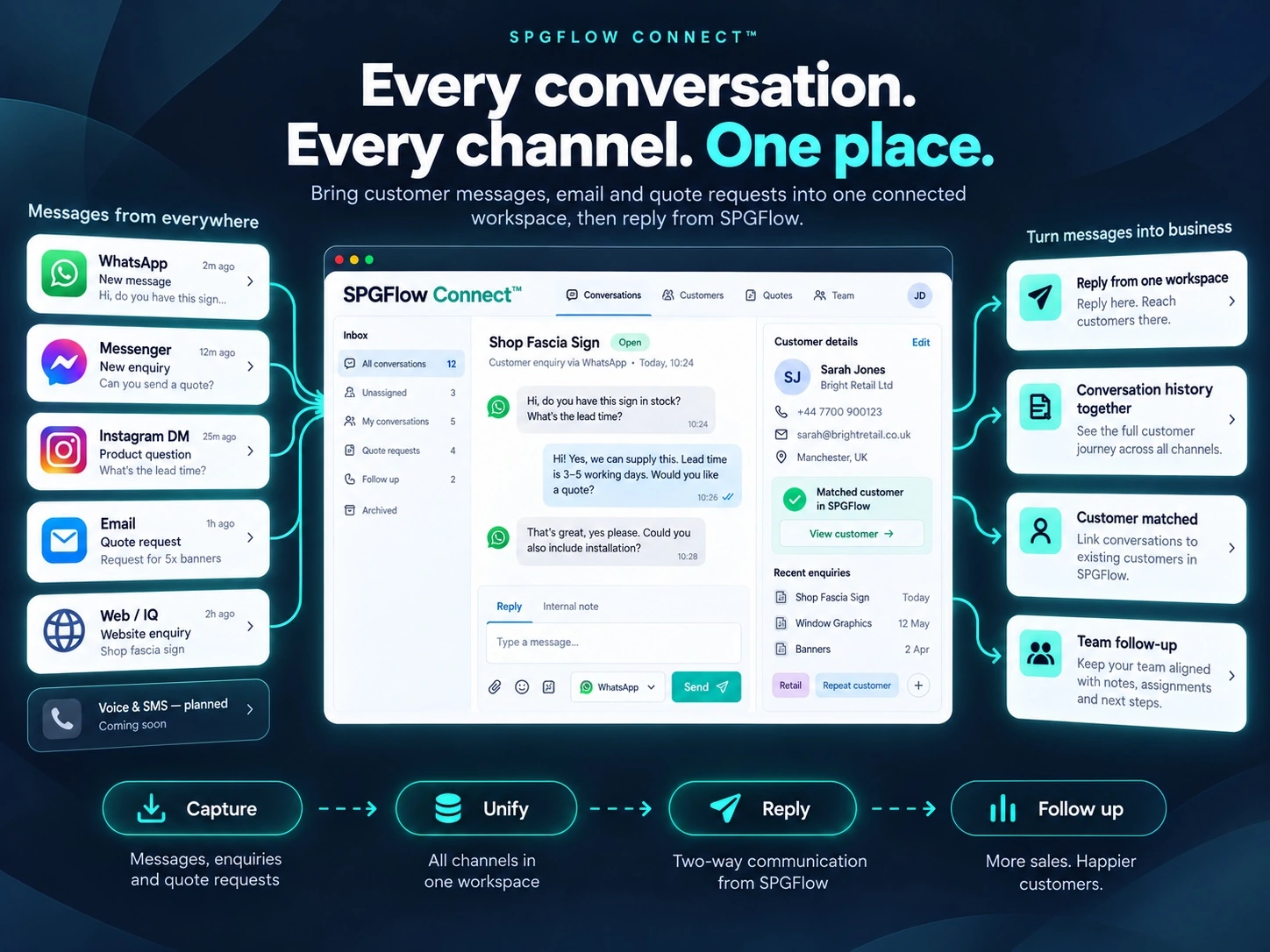
Keep messages, customer details and follow-ups together. Spend less time finding the conversation and more time helping the customer.
Connect supported WhatsApp, Facebook Messenger and Instagram business accounts, designated email and website enquiries. Each incoming conversation belongs to your business workspace.
Reply to supported messages inside SPGFlow. Customers receive the reply on their original channel, while your team retains the incoming message and outgoing response in SPGFlow.
Supported replies sent from a connected business app can be brought back into SPGFlow too, so the next person picking up the conversation has the context.
Review enquiries, assign responsibility and follow up with the conversation history to hand. Customer details stay alongside the enquiry rather than scattered across separate apps.
For sign and print businesses, Connect works alongside customer records, SPGFlow Source™, PIE™ estimating and SPGFlow IQ™ (Instant Quote), helping turn an enquiry into a clear next step.
Choose which supported channels to connect, control staff access and disconnect integrations or request deletion of imported messaging data. Business workspaces remain tenant-separated.
Two-way messaging, with clear channel limits. Native-app reply capture supports Facebook Messenger and eligible WhatsApp Business App connections with coexistence enabled. Availability depends on the channel and account setup; permissions, supported message types and messaging windows apply. We do not promise native-app reply capture for every channel or universal email inbox and sent-folder synchronisation. Website and IQ forms capture enquiries; follow-up uses the available customer contact details.
Introducing SPGFlow Voice
Customers do not stop at messages. SPGFlow Voice is planned to extend Connect into business calls and SMS, bringing phone conversations closer to your customers, enquiries and everyday workflow.
Planned options include new business numbers, optional number porting and compatible existing-provider or call-forwarding connections. Porting will not be mandatory.
The planned direction includes inbound and outbound calling, call history, missed-call events and voicemail linked to the relevant customer or enquiry.
We plan to add SMS alongside existing messaging channels, with flexible provider connections rather than tying every business to one telecom provider.
Voice and SMS are roadmap features, not included as live capabilities in the current messaging beta. Number options, existing-number support and features will depend on country, provider and account eligibility. Calling, numbers and SMS will be chargeable; pricing and availability will be confirmed before activation.
Fewer apps to check. More conversations moving.
Help shape a unified messaging workspace built around real small-business needs. Apply for the Sign & Print beta or tell us how Connect could help your business.
Talk to us about ConnectSPGFlow uses messages, sender and recipient identifiers, timestamps, attachments and delivery information solely to provide the connected inbox and related workflow requested by each business customer. SPGFlow does not sell Platform Data or use it for unrelated advertising.
Connections use Meta’s official authorisation processes, and credentials are handled through secure configuration flows.